CN
CN EN
EN
 jp
jp  th
th 


Email
marketing@valueapex.com


Demo
What are you looking for?
MANUFACTURING MAINTENANCE · PRACTICAL SCHEDULING GUIDE
A preventive maintenance schedule should tell a factory team more than the next inspection date. Before a technician approaches a conveyor, compressor, or pump, the team needs to know what task is due, whether production must stop, which parts are required, who is responsible, and how the result will be recorded.
This article builds an illustrative schedule for one manufacturing area. It shows how to combine calendar checks, running-hour tasks, and follow-up work when a reading is abnormal. The example tasks and intervals are not universal maintenance instructions; use the equipment manufacturer's documentation, site procedures, and operating history to approve your actual plan.
The scheduling question
Which checks can be made safely during normal operation, which tasks need an agreed production window, and which should be triggered by operating hours or a condition finding?
A factory does not need to place every piece of equipment on an identical “weekly maintenance” plan. Start with the task and the evidence behind its interval:
Calendar trigger: a check or service due on an approved daily, weekly, or other calendar cycle.
Usage trigger: work due after the equipment reaches a specified operating-hour or cycle count.
Condition finding: an abnormal observation or reading that needs review and potentially a separate corrective action.
The U.S. National Institute of Standards and Technology distinguishes scheduled preventive maintenance from maintenance initiated using observed condition data. For a practical plant schedule, that distinction matters: a calendar reminder and an unexpected fault should not be recorded as though they were the same event.
Imagine a production area served by a belt conveyor, a shared air compressor, and a cooling-water pump. The asset IDs and plan below are fictional. They show how each machine creates a different scheduling decision.
Routine observation: the operator records visible belt movement, unusual noise, and the condition of accessible guards from a safe position under the site's operating procedure.
Planned maintenance: a technician checks belt tracking, tension, and applicable wear items during an approved stopped-equipment window, following the specific conveyor manual. Conveyor manufacturer Dorner describes belt inspection, tracking, tensioning, and relevant parts as elements of its maintenance service; the exact tasks for CV-101 must come from its own equipment documentation.
Routine observation: record permitted operating readings and visible abnormalities using the site's check procedure.
Usage-based service: schedule the applicable filter, lubricant, or other service when the manufacturer's specified operating-hour interval approaches. If the compressor runs for different hours from month to month, a fixed monthly reminder alone may not match when service is actually due.
Scheduled check: record the readings and external observations specified in the site's pump inspection procedure.
Abnormal finding: a leak, unusual sound, or reading outside its approved limit needs review by the responsible person. Record the finding against PU-303 and create follow-up work when required; do not close the inspection as “normal” merely because the scheduled check took place.
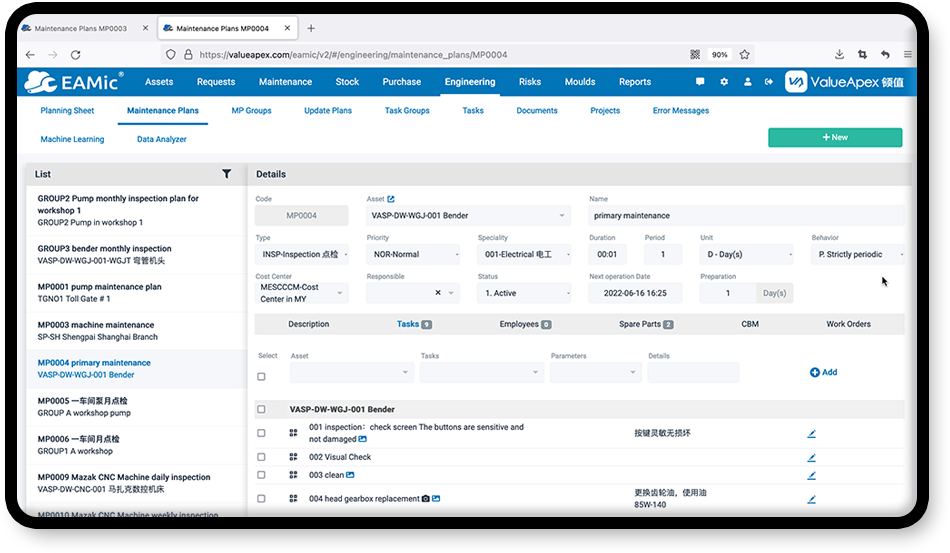
EAMic preventive maintenance plan interface. CV-101, AC-202, and PU-303 are illustrative assets created for this article.
A due task is not yet an executable schedule. Consider this illustrative production week:
Monday · Confirm what is due. The planner reviews CV-101's approved task list, AC-202's running hours, and PU-303's latest readings. If the compressor has not reached its specified service trigger, it stays on its usage-based plan.
Wednesday · Prepare the work. Confirm the right conveyor parts and tools, assign a technician, check the task instructions, and agree on an available production window. A missing part discovered after shutdown begins can leave the machine idle without completing the job.
Friday · Perform and record. During the approved stop, the technician completes CV-101's due task using the site's applicable safety procedure, records what was found, and identifies any repair that needs its own follow-up work order.
The shared compressor should not be shut down simply because a conveyor window is available. Check which other production areas depend on it and whether its service is due before reserving a separate utility outage.
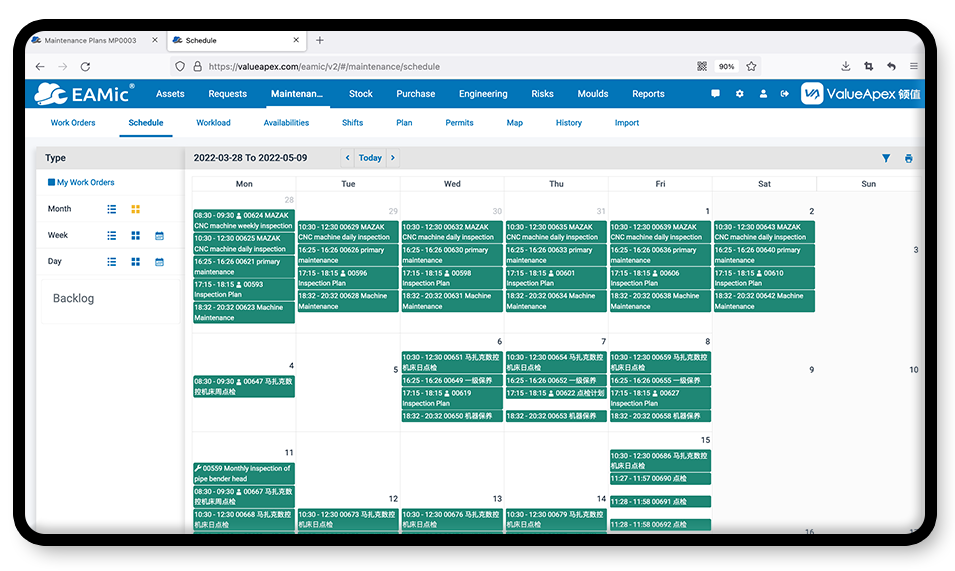
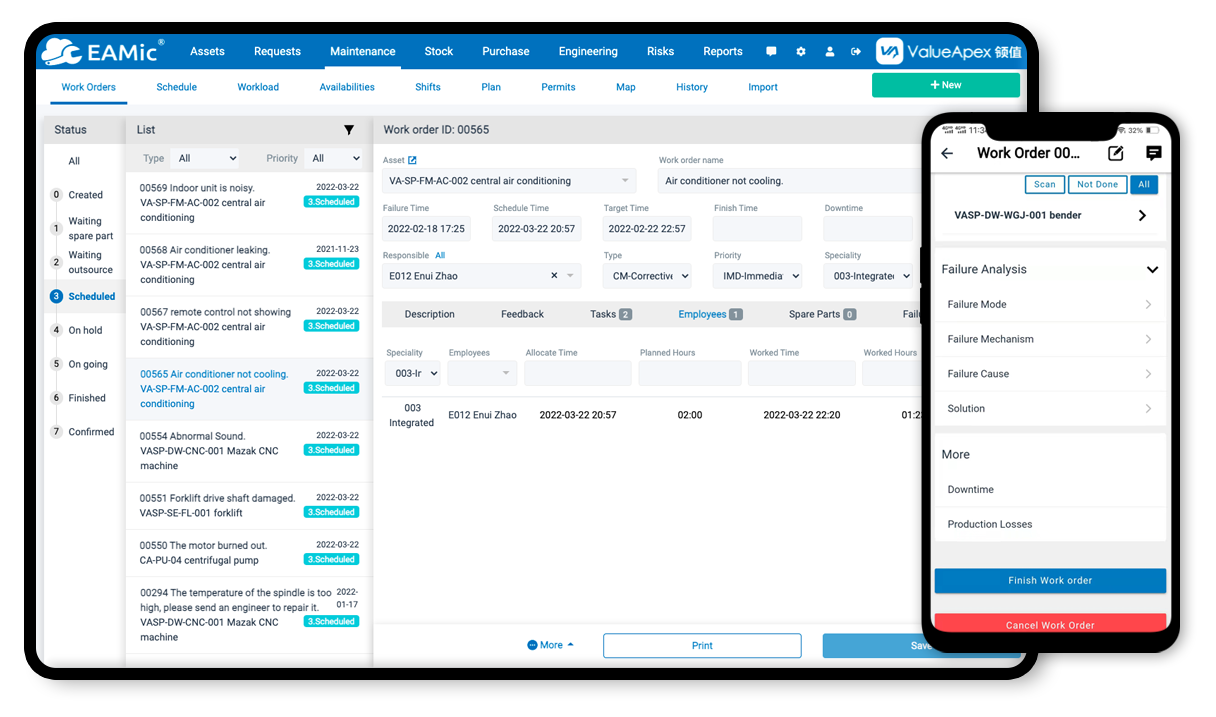
EAMic maintenance calendar interface. A calendar helps coordinate approved work windows; it does not determine the correct maintenance interval by itself.
For CV-101's planned task, a technician should be able to open the work order and see the information needed to prepare and document the job:
Asset and task: CV-101, the approved conveyor procedure, and the component to inspect.
Timing and owner: agreed production window, assigned technician, and expected duration.
Preparation: correct spare parts, tools, access arrangements, and applicable energy-control steps.
Completion evidence: observations, measurements required by the procedure, parts used, and any new defect requiring follow-up.
When servicing exposes a worker to unexpected startup or stored energy, apply the site's energy-control procedure. In the United States, 29 CFR §1910.147 addresses the control of hazardous energy during applicable servicing and maintenance. A calendar entry or software notification does not replace those controls.
EAMic's preventive maintenance software describes plans, task lists, calendar views, and work orders generated from configured cycles. Its product page also describes triggers based on cumulative equipment running time or monitored parameters. Those functions help organize an approved plan; the equipment owner still needs to set the correct tasks, limits, and intervals.
At the end of the period, look beyond how many work orders were marked complete. Ask whether tasks were finished when due, whether technicians had the specified parts, what abnormal findings were reported, and whether the same equipment needed repeat corrective repairs. A completed inspection with an unresolved defect should remain visible in the follow-up record.
That review may reveal a scheduling conflict, an inaccurate running-hour record, or a task that needs clarification. Update the approved plan with the relevant equipment owner instead of repeating an unsuitable interval indefinitely. EAMic's manufacturing maintenance solution provides the wider context for connecting equipment records, preventive work, and repair history.
There is no single interval for every machine. Start with its manufacturer documentation, operating duty, environment, failure history, and applicable site requirements. Approve a task-specific interval and revise it when evidence supports a change.
Use the trigger that fits the task. An operator observation may be tied to a shift, while certain equipment services may be tied to operating hours. If machine use varies substantially, converting a running-hour task into a fixed monthly reminder can make its due date misleading.
Record the finding against the correct asset, notify the responsible person, and follow the site's response procedure. Create a corrective work order when repair is required. An unsafe condition needs the appropriate immediate response regardless of when the next planned maintenance task is due.
Make the next maintenance date actionable.
Give each task a defined asset, an approved trigger, a responsible person, the required preparation, and a way to record its result. See how EAMic organizes these steps through its preventive maintenance plans and work order management.