CN
CN EN
EN
 jp
jp  th
th 


Email
marketing@valueapex.com


Demo
What are you looking for?
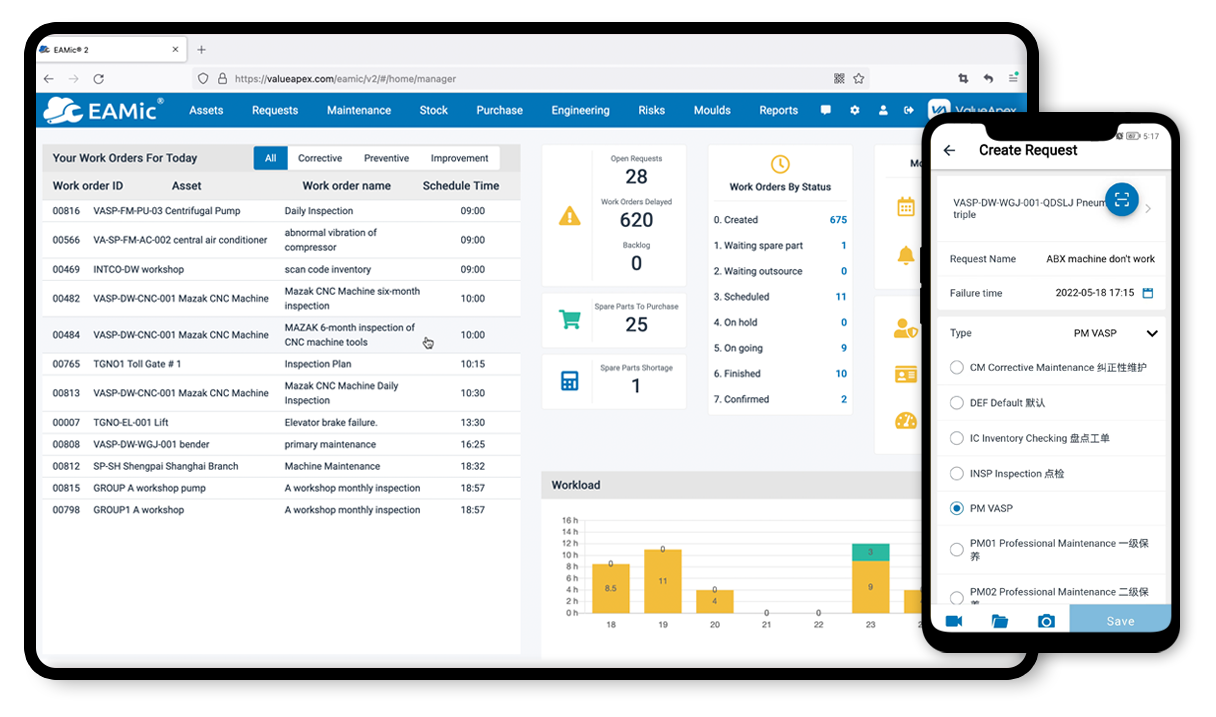
In the high-temperature, high-pressure, and high-speed environment of an integrated steel plant, the production rhythm is extremely fast. A single minute of equipment downtime can mean huge losses in output and energy. Therefore, for a steel plant's Equipment Management System (EMS), not only must its functionality be powerful, but its information presentation is also crucial. The system's dashboard page is precisely the real-time command center and decision-making cockpit built for equipment managers, maintenance supervisors, and even plant-level leadership, designed to achieve a management effect of "grasping the global situation on one screen, tracing the root cause with one click" through highly visual means.
An excellent steel plant equipment management dashboard is typically composed of the following core areas, layered progressively from a macro-overview to micro-level details:
Located at the top or most prominent position of the dashboard, it displays the core operational status of the entire plant or a specific division using Key Performance Indicators and data cards.
Overall Equipment Effectiveness Real-time Value and Trend: Displays the current OEE in a gauge format, compares it with the target value, and shows its trend over the past 24 hours or week.
Real-time Status Distribution: Uses donut charts or bar charts to intuitively show the number and proportion of all equipment in "Running, Standby, Stopped, Fault" states.
This area is crucial for vast steel plants. It is usually a plant layout diagram or production line flowchart.
Color Coding: Maps OEE or equipment status onto icons representing various workshops, blast furnaces, converters, continuous casters, hot rolling lines, etc., on the map. For example, a green blast furnace icon indicates it is running well, while a red rolling mill icon immediately alerts to a fault there.
Quick Navigation: Clicking on any equipment or area on the map allows quick drilling down to a detailed dashboard for that area or the specific equipment's detail page, achieving seamless switching from macro to micro.
This area refreshes in real-time with scrolling lists or cards, showing the most critical anomalies and tasks requiring attention.
Real-time Alarm List: Lists ongoing equipment alarms in reverse chronological order, including the alarmed equipment, alarm content, alarm severity, occurrence time, and duration. Critical alarms can be accompanied by sound alerts and pop-ups.
Work Order Execution Kanban: Uses the classic "Kanban method," displaying work order status in columns: Backlog -> In Progress -> Pending Review -> Done. Each work order card shows the work order number, equipment name, repair summary, responsible person, and planned completion time. The maintenance manager can update work order status by dragging the cards, just like on a physical board, visually grasping the maintenance progress.
Steel plants have several irreplaceable core equipment, such as blast furnaces, converters, continuous casters, and rolling mills. This area provides customized monitoring panels for them.
DCS-like Displays: Dynamically displays the operating parameters of key equipment in the form of process flow diagrams, such as blast furnace top temperature, cooling stave temperature, blast pressure; rolling mill rolling force, gap, speed, etc. Parameter values automatically change color when they exceed the normal range.
Trend Curves: Displays historical trend curves for multiple key parameters side-by-side, helping technicians analyze the interrelationships between parameters for fault diagnosis.
This area uses rich charts to perform multi-dimensional historical data analysis, revealing root causes of problems.
Downtime Analysis TOP Chart: A bar chart showing the equipment with the longest downtime in the past week/month, annotated with the reasons for downtime.
Maintenance Cost Analysis: Pie charts showing the composition of maintenance costs by division or equipment type, or a TOP chart showing the equipment with the highest maintenance costs.
Spare Parts Consumption Analysis: Shows the TOP 10 most frequently consumed spare parts, providing a basis for spare parts inventory optimization.
The steel plant equipment management dashboard page is not just a "display screen"; it is the embodiment of a management philosophy. It transforms scattered, complex, and professional equipment data into intuitive, understandable, and actionable business intelligence. Through it, managers can free themselves from cumbersome reports and phone calls, achieving:
Real-time Perception: Instantly grasp the pulse of the entire plant's equipment.
Rapid Response: Precisely locate faults and efficiently dispatch resources.
Scientific Decision-Making: Optimize maintenance strategies based on data trends, shifting from "fixing after breakdown" to "preventing before occurrence."
Transparent Management: Make equipment performance and maintenance efficiency clear at a glance, driving teams towards continuous improvement.
Ultimately, this dashboard becomes the intelligent command center for the steel plant to achieve safe, stable, efficient, and low-cost operation.